
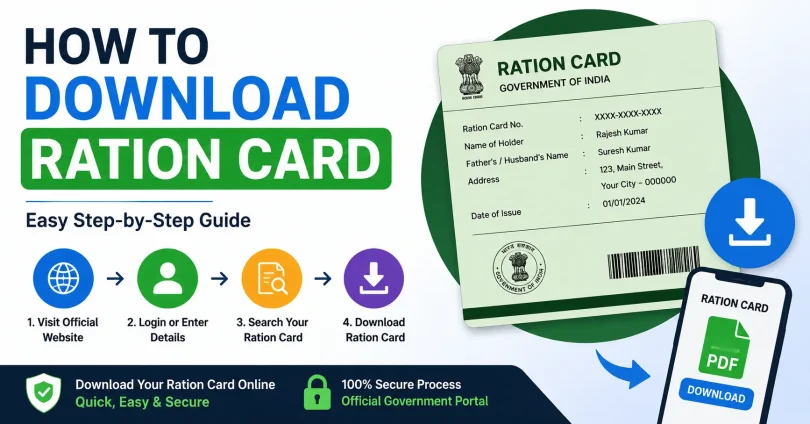
How to Download Ration Card Online. Your ration card is one of the most important government documents in India. It proves your identity, establishes your household’s eligibility for subsidised food under the National Food Security Act (NFSA), and serves as valid address proof for many services. If you have lost your physical card, need a digital copy for verification, or simply want a backup, downloading your ration card online takes only a few minutes.
This guide covers every method available, explains what you need before you start, and walks you through the process for different states, so you do not need to visit any government office or spend a single rupee.
What Is an e-Ration Card and Is It Legally Valid?
An e-Ration Card is the digital version of your physical ration card, available as a downloadable PDF. It is issued by your state’s Food and Civil Supplies Department and carries a QR code for instant verification.
Yes, the e-Ration Card is fully legally valid. The Government of India has confirmed that the digital copy holds the same status as the printed card. You can use it at:
- Fair Price Shops (ration shops) to collect subsidised food grains, wheat, rice, and kerosene
- Banks and financial institutions for KYC verification
- Government offices for address and identity proof
- Schools and colleges for admission purposes
- Courts and legal proceedings as documentary evidence
What You Need Before Downloading
Before you begin, keep the following information ready. Different methods require different details, so check which ones apply to the method you choose.
- Your 10 to 12-digit Ration Card Number (printed on your existing card or available from your Fair Price Shop)
- Your Aadhaar number (required for DigiLocker and some state portals)
- The mobile number registered with your ration card (for OTP verification)
- Your state, district, and block or tehsil name
- Head of household name (for search-based portals)
If you do not know your ration card number, visit the section below on how to find it using your Aadhaar or name.
3 Ways to Download Your Ration Card Online
There are three main methods to download a ration card in India. Each suits a different situation.
Method 1: Download Through Your State PDS Portal (Most Common)
The State Public Distribution System (PDS) portal is the primary and most widely used method. Every state in India has its own dedicated portal where you can download your ration card for free.
General Steps for State PDS Portals:
- Open your state’s official food department website (see the state-wise table below).
- Look for sections labelled “Download Ration Card”, “e-Ration Card”, or “Citizen Services”.
- Enter your Ration Card Number and select your card category if prompted (AAY, PHH, SPHH, or General).
- Enter your district, block, or village name as required.
- Verify your identity via OTP sent to your registered mobile number.
- Click the “Download” or “Print” button to save the PDF.
Method 2: Download Through DigiLocker
DigiLocker is a Government of India platform that stores your official documents digitally. Many states have integrated their ration card databases with DigiLocker, making it one of the easiest and most secure ways to access your card anytime.
Steps to Download Ration Card via DigiLocker:
- Visit www.digilocker.gov.in or open the DigiLocker app on your smartphone.
- Sign up or log in using your Aadhaar-linked mobile number.
- After logging in, click on “Search Documents” and type “Ration Card” in the search box.
- Select your state’s food department from the list of issuers.
- Enter your Ration Card Number and any other requested details.
- The card will appear in your DigiLocker account. Click “Download” to save it as a PDF.
States currently integrated with DigiLocker for ration card download include Andhra Pradesh, Telangana, Tamil Nadu, Maharashtra, Rajasthan, and several others. Check the DigiLocker issuer list for your state’s availability.
Method 3: Download Using the Mera Ration App
The Mera Ration app is an official application launched by the Ministry of Consumer Affairs, Food and Public Distribution. It is free to download and works on both Android and iOS devices. It is especially useful for migrant workers and those who travel frequently.
Steps to Use the Mera Ration App:
- Download the Mera Ration app from Google Play Store or Apple App Store.
- Open the app and select your preferred language.
- Enter your Ration Card Number or Aadhaar number to log in.
- View your ration card details, entitlements, and transaction history.
- Tap “Download” or “Share” to save the digital copy to your phone.
The Mera Ration app also lets you find the nearest Fair Price Shop, check your monthly entitlements, and track whether your ration has been collected.
State-Wise Ration Card Download Guide
Below is a quick-reference table for 12 major states. Use this to go directly to the right portal for your state.
| State | Portal Name | Download Method | Key Requirement |
| Andhra Pradesh | epds.ap.gov.in | Ration Card No. | Registered Mobile |
| Bihar | epds.bihar.gov.in | Ration Card No. | District/Block |
| Delhi | nfs.delhigovt.nic.in | NFS ID / Aadhaar | Mobile OTP |
| Gujarat | dcs-dof.gujarat.gov.in | Ration Card No. | Registered Mobile |
| Karnataka | ahara.kar.nic.in | Ration Card No. | Registered Mobile |
| Maharashtra | rcms.mahafood.gov.in | Ration Card No. | Registered Mobile |
| Odisha | pdsodisha.gov.in | Ration Card No. | District/Block |
| Rajasthan | food.rajasthan.gov.in | Ration Card No. | Registered Mobile |
| Tamil Nadu | www.tnpds.gov.in | Ration Card No. | Registered Mobile |
| Uttar Pradesh | fcs.up.gov.in | Ration Card No. | District/Block |
| West Bengal | wbpds.wb.gov.in | 10-digit RC No. | Card Category |
| Telangana | epds.telangana.gov.in | Ration Card No. | Registered Mobile |
Delhi: How to Download Ration Card
- Go to nfs.delhigovt.nic.in.
- Click on “Citizen Corner” and then “Download e-Ration Card”.
- Enter your NFS Application ID or Aadhaar number.
- Enter the OTP sent to your registered mobile number.
- Your e-Ration Card will appear. Click Download to save the PDF.
West Bengal: How to Download e-Ration Card
- Visit wbpds.wb.gov.in.
- Navigate to “e-Card Download” or use the direct download section.
- Enter your 10-digit Ration Card Number.
- Select your card category from: AAY, PHH, SPHH, RSKY-I, RSKY-II, or GEN.
- Click Download to get your PDF e-Ration Card instantly.
Odisha: How to Download Ration Card
- Go to pdsodisha.gov.in.
- Click on “Download Ration Card” under NFSA services.
- Select your district, block, GP (Gram Panchayat), and village.
- Enter your Ration Card Number and submit.
- Download the PDF that appears on the next page.
What If You Do Not Know Your Ration Card Number?
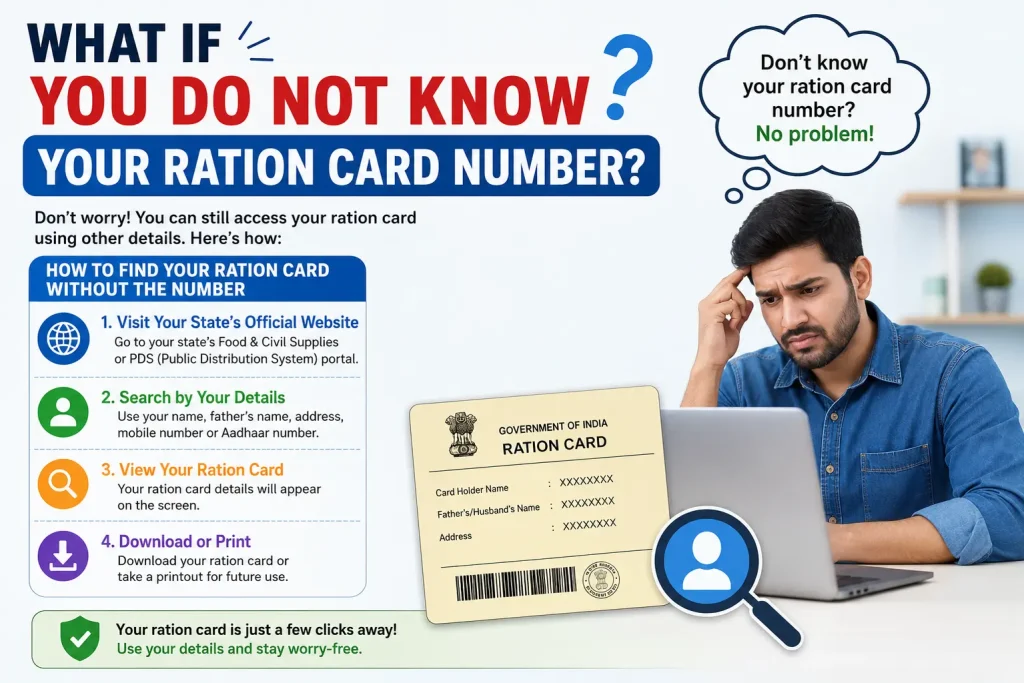
This is a common problem. If you have lost your card and do not remember the number, here is how to find it.
Search by Aadhaar Number
Most state PDS portals allow you to search for your ration card using your Aadhaar number. Visit your state portal, look for a “Search by Aadhaar” or “Find Ration Card” option, enter your 12-digit Aadhaar number, and verify with OTP. Your ration card number and details will appear.
Search by Name and District
If your Aadhaar is not linked to your ration card, you can search by the head of household’s name. Go to your state food portal, select your district and block, enter the name, and look up the card from the results.
Contact Your Fair Price Shop Dealer
Your local ration shop dealer keeps records of all registered cardholders in the area. Visit the dealer with a valid ID proof, and they can provide your ration card number, which you can then use to download online.
Types of Ration Cards in India: Which One Do You Have?
Knowing your card type helps you select the correct category during download. India has four main types of ration cards under the NFSA.
- Antyodaya Anna Yojana (AAY): Issued to the poorest of the poor households. Families receive 35 kg of food grains per month at highly subsidised rates.
- Priority Household (PHH): Issued to households that fall below a defined income threshold but are not the poorest. Entitlement is 5 kg per person per month.
- State BPL (Below Poverty Line): Some states issue this separately for households below the poverty line who do not fall under AAY.
- APL (Above Poverty Line): Issued to households that are above the poverty line. Subsidies may be limited or minimal depending on the state.
West Bengal additionally has SPHH (Special Priority Household) and RSKY categories. Always select the correct card type on the portal to avoid errors.
How to Check NFSA Beneficiary Status Before Downloading
Before attempting to download, you should confirm that your name is active in the National Food Security Act beneficiary database. This prevents failed download attempts.
- Visit nfsa.gov.in.
- Click on “Ration Card” in the top navigation bar.
- Select “Ration Card Details on State Portals”.
- Click on your state from the map or list.
- You will be redirected to your state portal where you can verify your details.
Common Problems and How to Fix Them
Here are the most common issues people face when downloading their ration card and how to resolve each one.
OTP Not Received
- Check whether the registered mobile number is active and has network coverage.
- Wait 2 to 3 minutes and then try again. Sometimes there is a delay in OTP delivery.
- If the number is no longer active, you will need to update your mobile number in the ration card records at your district food office before you can download online.
Ration Card Number Not Found
- Double-check the number you entered. Ration card numbers are case-sensitive on some portals.
- Make sure you are on the correct state portal. A card from Maharashtra will not appear on the Delhi portal.
- If you recently migrated from another state, your card may need to be transferred first.
PDF Download Fails or Page Does Not Load
- Try a different web browser. Government portals sometimes work best on Google Chrome or Mozilla Firefox.
- Clear your browser cache and cookies before attempting again.
- Try accessing the portal at off-peak hours (early morning or late evening) as government websites can get slow during busy periods.
- If the issue persists, use the DigiLocker method or the Mera Ration app as an alternative.
Name or Family Member Details Are Incorrect on the Card
- Do not use the incorrect card. Download it first, then apply for a correction at your state food department’s e-district portal or physically at the district food office.
- Corrections typically take 7 to 15 working days depending on the state.
One Nation One Ration Card (ONORC): What It Means for You
The Government of India launched the One Nation One Ration Card (ONORC) scheme, which allows NFSA beneficiaries to collect their entitled food grains from any Fair Price Shop anywhere in India, regardless of where they originally registered.
This is especially helpful for:
- Migrant workers who move to different cities or states for work
- Students studying in a different state from their home
- Families that have relocated temporarily or permanently
As of 2026, all 36 states and union territories are covered under ONORC. You do not need a new ration card when you move. You can use your existing downloaded e-Ration Card from your home state and collect rations from any Fair Price Shop across India using Aadhaar-based biometric authentication.
Want a Physical PVC Card? Here Is How to Order One
If you need a durable, wallet-sized physical card instead of a printed PDF, some states offer PVC ration card printing services. In West Bengal, for example, you can order a PVC-printed ration card through authorised third-party portals or government cyber cafes for around Rs. 50, with delivery in 7 to 14 days by speed post.
Check your state food department’s website or ask at a Common Service Centre (CSC) near you for PVC printing availability in your state.
What If You Do Not Have a Ration Card at All?
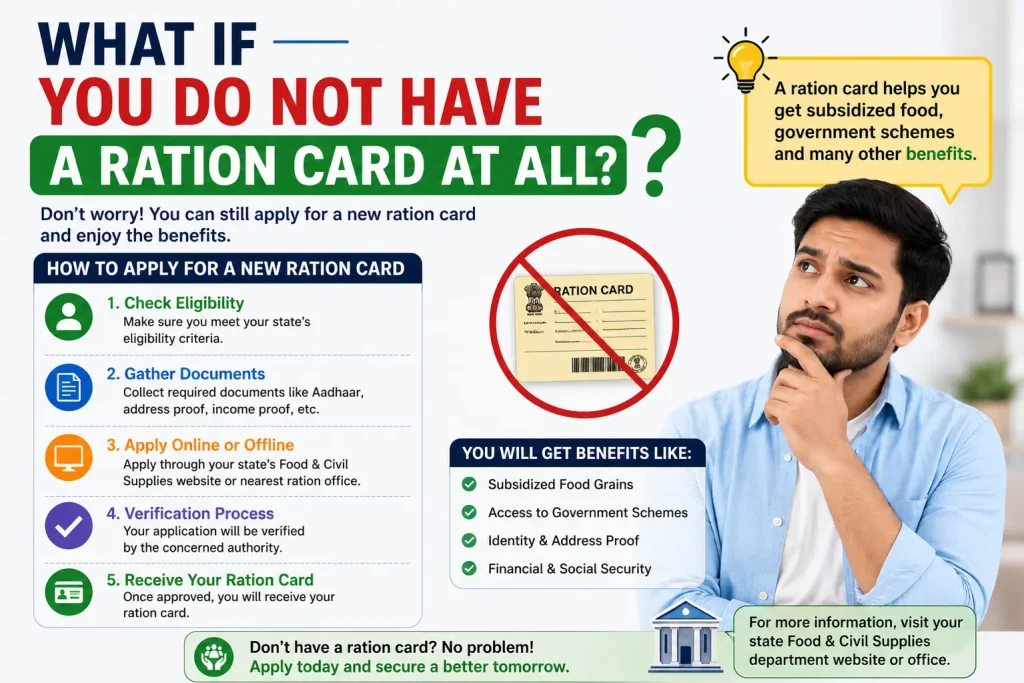
If you have never applied for a ration card or you are newly eligible, here is what to do.
- Visit your state’s food department portal and look for the option to apply for a new ration card.
- Alternatively, visit your nearest Common Service Centre (CSC), e-district centre, or district food supply office.
- Documents typically required include Aadhaar card, address proof, income certificate, family photograph, and birth certificates for children.
- After submission, the application is verified and if approved, you will receive an SMS notification. You can then download your e-Ration Card from the state portal.
Practical Tips for Storing and Using Your Digital Ration Card
- Save the PDF to Google Drive or another cloud service so you can access it from any device at any time.
- Keep a printed copy at home as a backup in case of internet or phone issues.
- Share the PDF with family members who may need to collect rations on your behalf.
- Check the QR code on your downloaded card. Scanning it should take you to a government verification page that confirms the card’s authenticity.
- Keep your registered mobile number active at all times. If you change your number, update it on the state portal immediately to avoid losing access.
Frequently Asked Questions
Is it free to download a ration card online?
Yes. Downloading your ration card from any official state PDS portal, DigiLocker, or the Mera Ration app is completely free of charge.
Can I download the ration card without a smartphone?
Yes. You can use any computer with internet access to visit your state PDS portal and download the card. You can also visit a Common Service Centre (CSC) where an operator can help you download and print it.
How long does a downloaded e-Ration Card remain valid?
The e-Ration Card does not expire on its own. However, your ration card may be cancelled or suspended if there is a change in eligibility. Always download a fresh copy if you notice your entitlements have changed.
Can I use my ration card in a different state under ONORC?
Yes. Under the One Nation One Ration Card scheme, you can collect your food entitlement from any Fair Price Shop in India using Aadhaar-based biometric verification. You do not need a separate card.
My name is not on the NFSA list. What should I do?
If you are not found in the database, contact your state food department directly or visit the district food supply office. You may need to apply for a new ration card or get your Aadhaar seeding corrected in the PDS records.
How do I add or remove a family member from my ration card?
Log in to your state food department’s online portal and look for “Ration Card Modification” or “Member Addition/Deletion”. You may need to submit supporting documents such as birth certificate, death certificate, or marriage certificate depending on the change required.
Conclusion
Downloading your ration card online is simple, free, and takes less than 5 minutes once you have your ration card number and registered mobile number ready. Whether you use your state PDS portal, DigiLocker, or the Mera Ration app, the process is straightforward and the downloaded PDF is fully valid for all official purposes.
If you face any issues, use the troubleshooting steps in this guide or visit your nearest Common Service Centre for assisted support. Keep your digital copy stored safely in the cloud so you always have access when you need it.
You May Also Like It:
How to Calculate Attendance Percentage